
ADHD Prospective Memory: Stop Trying to Remember the Future
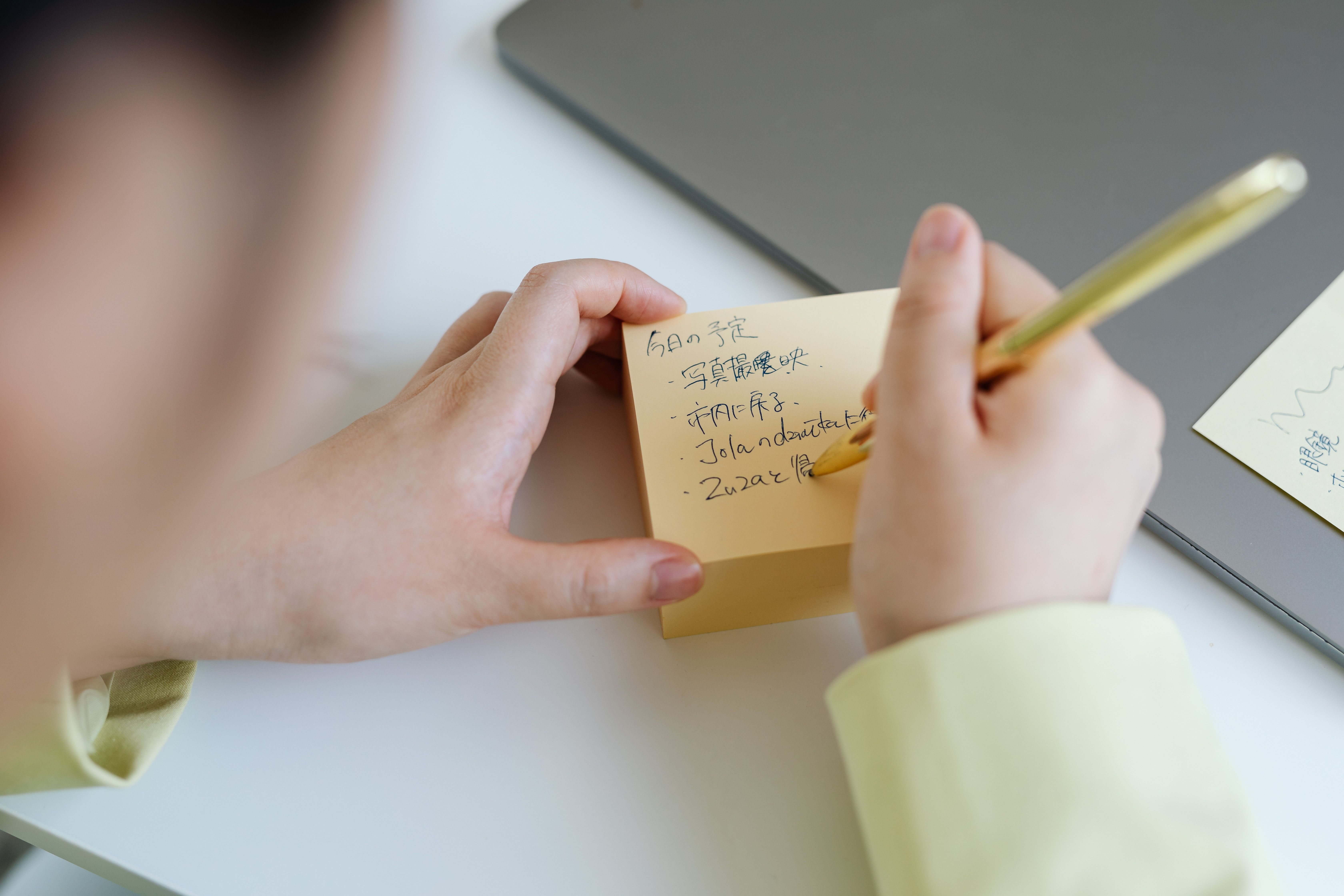
If you have ADHD, forgetting future tasks can look careless from the outside.
It usually is not.
A lot of the time, the problem is prospective memory. That is the ability to remember to do something later. Text the person back after lunch. Bring the return package when you leave. Start the laundry before bed. Cancel the trial before it renews.
The annoying part is that you may fully care about the task. You may even think about it twelve times. Then the moment disappears, the room changes, your attention moves, and the task is gone.
So the fix is not "try harder to remember."
The fix is: stop making your brain hold a future event by itself.
Why future tasks disappear
ADHD is deeply tied to executive function: planning, sequencing, starting, shifting attention, working memory, and self-monitoring. CHADD describes executive function as the system behind organizing, prioritizing, activating tasks, sustaining attention, using working memory, and regulating action.
That matters because future tasks are not just memory tasks. They are planning tasks.
You have to hold the intention, notice the right moment, switch from whatever you are doing, and start the action. That is a lot of invisible steps for something as tiny as "bring the package."
Research on adults with ADHD and prospective memory found that problems often showed up around task planning, not just remembering that something existed.
Plain English: the task does not need to live louder in your head. It needs a better landing spot in the real world.
The better question
Most people ask:
- How do I remember this later?
- What app should remind me?
- Why do I keep forgetting simple things?
The better question is:
- Where will I physically be when this needs to happen?
- What will I already be looking at?
- What will my hand touch right before the task matters?
That is where the reminder belongs.
Not in your head. Not buried in a notes app. Not on a giant list you only open when you already feel behind.
Put the cue where future-you can trip over it.
The external cue rule
Use this rule:
A reminder is only useful if it appears at the decision point.
If the return package has to leave with you, put it in front of the door or on top of your shoes.
If the bill needs to be paid when you sit at your desk, put the paper on your keyboard or pin the browser tab before you close your laptop.
If you need to take medication after brushing your teeth, put the visual cue beside the toothbrush, not in a random reminder list.
If you need to text someone after a meeting, put the person's name on the page where your meeting notes are, not in a separate app you will forget to open.
The cue should interrupt the next natural action just enough to make the task visible again.
That is the whole game.
Three places to put future tasks
1. Put exit tasks at the exit
Anything that has to leave the house goes by the door, bag, keys, shoes, or car.
Do not trust a thought like, "I will remember when I leave."
That thought feels true because right now the task is active. Later, your brain will be managing shoes, keys, time, weather, messages, and whether you are already late.
Use the exit point.
2. Put work tasks inside the work surface
If a task belongs to your desk, make it visible at your desk.
One sticky note on the laptop is often better than twelve reminders in a hidden system.
Good desk cues are specific:
- Reply to Jordan about Tuesday.
- Submit receipt before lunch.
- Open invoice folder first.
- Send draft, not perfect version.
Bad desk cues are vague:
- Get organized.
- Catch up.
- Be productive.
- Fix everything.
Your future brain needs a next move, not a motivational poster.
3. Put time tasks next to a trigger
Some tasks do not belong to a location. They belong to a moment.
For those, attach the cue to something that already happens.
- After coffee: check today's top three.
- After lunch: restart with one open task.
- After school pickup: review backpack papers.
- After dinner: set tomorrow's launchpad.
This works because you are not asking your brain to create a new moment out of nothing. You are attaching the task to a moment that already exists.
The trap: too many reminders
More reminders can make the problem worse.
When every app, object, list, and sticky note is screaming, the brain starts treating all of it as background noise.
Use fewer cues, but make them sharper.
For one week, try this:
- One exit cue.
- One desk cue.
- One after-lunch cue.
That is it.
If a reminder does not change what you do, delete it or move it closer to the real decision point.
A fast reset for today
Pick one thing you keep forgetting.
Then answer these four questions:
- Where does this task actually happen?
- What do I touch right before it should happen?
- What is the smallest visible cue I can put there?
- What exact next move should the cue say?
Example:
- Task: return package.
- Place: leaving the house.
- Trigger: shoes/door.
- Cue: package sitting on shoes.
- Next move: take package to car.
That is a system. Tiny, but real.
Bottom line
Your brain is not a bad person because it forgets future tasks.
It is just a bad storage unit for tasks that need to happen later.
Put the reminder where the future action happens. Make the cue visible. Give it one next move.
That is how you stop trying to remember the future and start building a world that remembers with you.
Sources:
https://chadd.org/about-adhd/executive-function-skills/
Turn future remembering into a visible handoff
Prospective memory gets shaky when the reminder lives only in your head. Your brain has to keep checking the future, which makes the present feel noisy and unreliable.
The repair is to move the future task into a place that will be waiting when the right moment arrives. A good handoff does not ask you to remember harder. It lets the environment remember first.
Attach the reminder to the real trigger
Do not write a vague note that says remember later. Name the exact trigger that should wake the task up: when I open the laptop, when the meeting ends, when I put shoes on, when the dishwasher finishes, or when I leave the grocery aisle.
The trigger should already happen naturally. If the cue requires a second reminder, it is too fragile for a future task that matters.
Put the needed object in the cue path
Future remembering becomes easier when the next object is physically in the way. Put the return package by the door, the bill on the keyboard, the medication beside the coffee mug, or the note on top of the planner you will open anyway.
If the object cannot move, move a proxy: a sticky note, a calendar block with the link, a browser tab named with the next action, or a phone reminder labeled with the verb and place.
Write the action, not the topic
A reminder that says insurance, school, client, or taxes forces you to solve the task again later. Use a tiny command instead: upload the receipt, reply with the date, check the portal message, sign the form, or put the envelope in the car.
The future version of you should not have to decode the reminder while already switching contexts. Give them the first move, not the whole problem.
Leave proof where you will question yourself
ADHD brains often remember the obligation but forget whether it already happened. Put completion proof next to the same cue: a sent-email confirmation, a checked box, a photo of the packed item, or a note that says submitted with the date.
This prevents the future task from becoming a background worry that keeps reopening after it is done.
Separate one-time reminders from repeat triggers
A one-time reminder and a repeat trigger need different homes. If the task only needs to happen once, make the cue disposable: a note on the door, a calendar block, a bag in the car, or a single alarm with the action in the title.
If the task repeats, attach it to a stable ritual instead of rebuilding the reminder every time. Medication belongs near the first drink. Receipt capture belongs where mail opens. Weekly prep belongs beside the object that starts the week. Repeating tasks should not depend on fresh motivation each round.
Make the cue annoying enough to interrupt autopilot
The best cue is not always neat. Sometimes it needs to be slightly in the way: shoes blocking the door, the envelope on the steering wheel, the form covering the keyboard, or the medication bottle inside the coffee mug.
Annoying does not mean chaotic. It means the cue touches the path where the task must happen. A beautiful reminder in the wrong place is just decoration with guilt attached.
Give the future task an expiration rule
Some reminders lose value after a certain point. Add a small expiration rule so old cues do not become permanent background noise: if not done by Friday, text the person; if not mailed by noon, move it to tomorrow's first errand; if not paid by shutdown, put it on the desk card.
Expiration rules keep the reminder honest. The cue either did its job, escalated to a clearer place, or got removed. That stops the environment from filling with stale instructions your brain has learned to ignore.
If future tasks keep turning into random thoughts, use the parking lot for random thoughts. If the problem is a later appointment freezing the day, use the waiting mode container. If the next action keeps vanishing, use the next thing card.
choose the help that fits
When reading is not enough, take one contained next step.
Use Restart Rescue for a stalled project, Workday Rescue for a tangled day, One-Room Reset for one overwhelmed space, or the $20 Rescue Hub for all three.
Prefer to watch? Visit ClarityBolt on YouTube